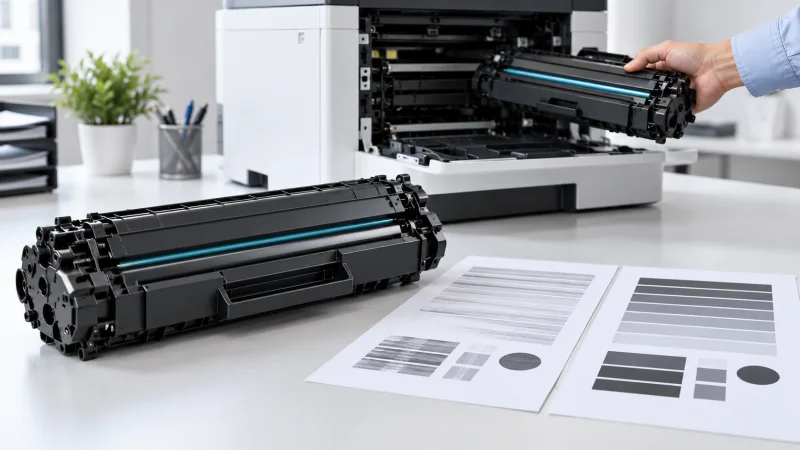
A toner cartridge is essential for making sharp documents. Faded pages, black lines, smudges, uneven printing and error messages can lower toner cartridge print quality and stop office work.
Understanding toner cartridge problems lets you see whether the issue comes from the toner cartridge itself from printer settings from paper or, from another printer component. This guide explains toner cartridge problems give steps to troubleshoot and tells you when the toner cartridge should be replaced.
Common Toner Cartridge Problems
Printing symptoms come in forms and they can point to specific cartridge issues. By identifying the printing symptoms before replacing the cartridge you can reduce costs.
Faded or Light Printing
Faded printing is one of the common printer toner problems. It can happen when the toner is running low the cartridge is not spreading the toner evenly. The printer settings are not correct.
Try checking the toner level and the print-density settings first. Gently moving the cartridge from side to side may help spread the remaining toner. If the cartridge is empty replacing the cartridge could fix the problem. If the new cartridge still causes pages to be blank the problem might be, with the drum, the developer unit or another printer component.
Black Lines or Repeated Marks
Black lines, spots or repeated marks can come from a damaged drum, toner buildup, much toner or wrong cartridge installation.
Print a test page. Look to see if the mark shows up in the same spot. If the mark shows up in the spot the drum or another printer part may need to be checked.
Toner Cartridge Troubleshooting for Streaks and Smudges
Streaks and smudges can change the appearance of printed documents. Reduce readability. When Streaks and smudges appear simple toner cartridge troubleshooting can often reveal the cause before professional service is called.
Toner Smearing
If toner rubs off the paper possible reasons include paper settings, paper that is not too much toner, a fuser that is worn or a cartridge that is faulty.
Make sure to pick the kind of paper in the printer settings and use paper that the printer says is best. If the issue keeps happening then the fuser or the cartridge might need to be checked.
Toner Leakage
A leaking cartridge can cause toner to get inside the printer and make marks on the pages that come out. Do not shake the cartridge. Put it in and take it out many times if it is broken. Take the cartridge out slowly. In the way the maker says. If toner got inside the printer getting it cleaned by a professional might be needed.
Toner Cartridge Problems and Solutions for Print Quality
Not every print-quality issue signal that the cartridge is empty. The print-quality issue can also arise from printer components, which affect the final output.
Grey Background
A gray or cloudy background can happen because there is much toner the cartridge is dirty the drum is not working properly or there is a problem with the printers charging system.
Print another test page and if you can look at it next, to a cartridge that works well. If the problem is still there the printer might need to be fixed.
Uneven or Patchy Printing
Dark areas, light patches, or blank sections can occur when toner is not distributed evenly.
Gently moving the cartridge might help redistribute the remaining toner for a time. Do not shake it hard because the toner could leak out. If the issue keeps happening make sure the cartridge is properly installed. Also look into the drum, the developer unit or the transfer system to see if any of them are the problem.
How to Fix Toner Cartridge Problems and Error Messages
Printers may display messages such, as "Toner Low," "Replace Toner," or "Cartridge Not Recognized." Knowing how to fix toner cartridge problems can help resolve installation or recognition issues.
Cartridge Not Recognized
If a new cartridge is not recognized:
- Turn off the printer.
- Remove the cartridge.
- Check that protective seals have been removed.
- Reinstall the cartridge correctly.
- Restart the printer.
- Confirm that the cartridge matches your printer model.
Toner Low After Replacement
If a toner warning appears immediately after you insert a cartridge the printer may not have read the chip correctly. The printer may then require a reset. Before attempting to reset the printer read the instructions provided by the printer’s manufacturer. Always follow the manufacturer’s directions when you try to fix the issue. Make sure you understand every step before you begin.
When Should You Replace a Toner Cartridge?
A cartridge might need to be changed when it's empty, leaking, broken, causing printing problems over and over or not giving good print results anymore.
Changing the cartridge does not always fix the problem. If a new cartridge has the issue, the problem could be with the drum, the fuser, the developer unit, the transfer system or another part of the printer.
For companies in Dubai and all over the UAE using the cartridge, for every printer model can help keep print quality steady and cut down on time when the printer is not working.
Frequently Asked Questions
1. Why is my printer printing faded pages?
Low toner, toner distribution or incorrect printer settings can cause faded printing. Check toner. Settings, before replacing the cartridge.
2. Why does my printer leave lines?
Black lines may be caused by a damaged or contaminated drum, toner or another printer component.
3. Can I shake a toner cartridge?
Gently moving a cartridge from side to side may redistribute toner temporarily. Avoid shaking because it can cause toner leakage.
4. Why is my new toner cartridge not recognized?
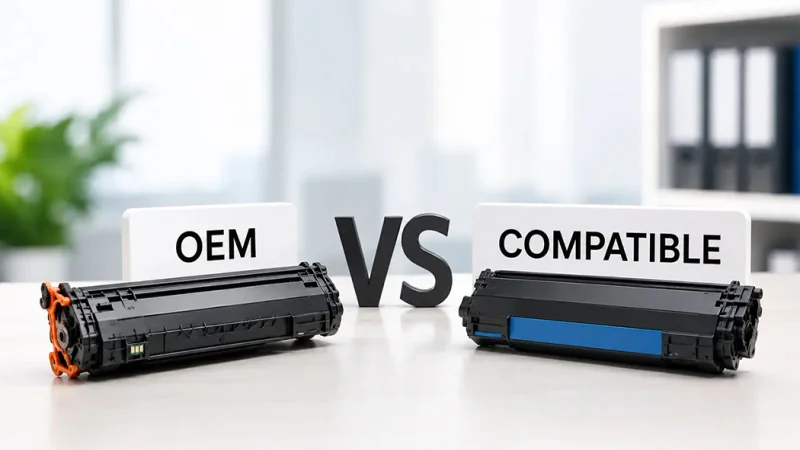
Check that the toner cartridge is installed correctly and that the toner cartridge is compatible, with the printer. Compatible toner cartridges can have chip recognition problems.
5. Why is my printer producing grey backgrounds?
Grey backgrounds may come from toner from drum contamination from cartridge defects or, from another component of the printer.
6. Why does toner rub off the paper?
This can happen because the paper settings are not correct the type of paper used is not right there is a problem with the fuser. There is an issue, with the cartridge.
7. How can I prevent common toner cartridge problems?
To keep toner cartridge problems at bay, use the cartridge, the paper that the manufacturer recommends and store the cartridge in a cool dry place. Do not touch the drum. Follow the installation instructions carefully.
8. Should I replace a cartridge when it says, "Toner Low"?
Not always. If the text and images look good and are clear you can keep using the cartridge until it runs out.
9. What should I do if toner leaks inside my printer?
Do not continue to use the damaged cartridge; handle the cartridge carefully. If toner has spread inside the printer, you may need cleaning.
10. Where can businesses in Dubai get help with toner cartridge problems?
Businesses, in Dubai can reach out to a printer and office equipment supplier. The supplier can help with cartridge compatibility, troubleshooting and finding a replacement toner.
Conclusion
Understanding problems with toner cartridges can help businesses spot print quality problems. Stop needless cartridge replacements. Faded prints, streaks, smudges, leakage and error messages can usually be traced back to the toner cartridge, printer settings or another part.
For businesses in Dubai and throughout the UAE picking the toner cartridge is key to steady office printing. Contact Toner and Cartridge Suppliers Abu Dhabi. for help, with toner cartridges and printer consumables.
Get genuine cartridges delivered across the UAE
Original and compatible cartridges for HP, Canon, Brother, Epson and more — with fast delivery in Abu Dhabi and Dubai.
Shop All Products Contact Us